For Parents

You decide. The app enforces.

The parent panel lives inside the same app, behind your PIN. Your child uses the chat; you hold the controls.

Full visibility — the dangerous and the everyday

You see blocked messages with their category and timestamp, and you also see normal conversation summaries. Both matter: the blocked ones tell you what was attempted or caught, the normal ones tell you what your child is curious about.

Blocked content triggers a notification, is stored encrypted, and stays visible in your panel until you review it.
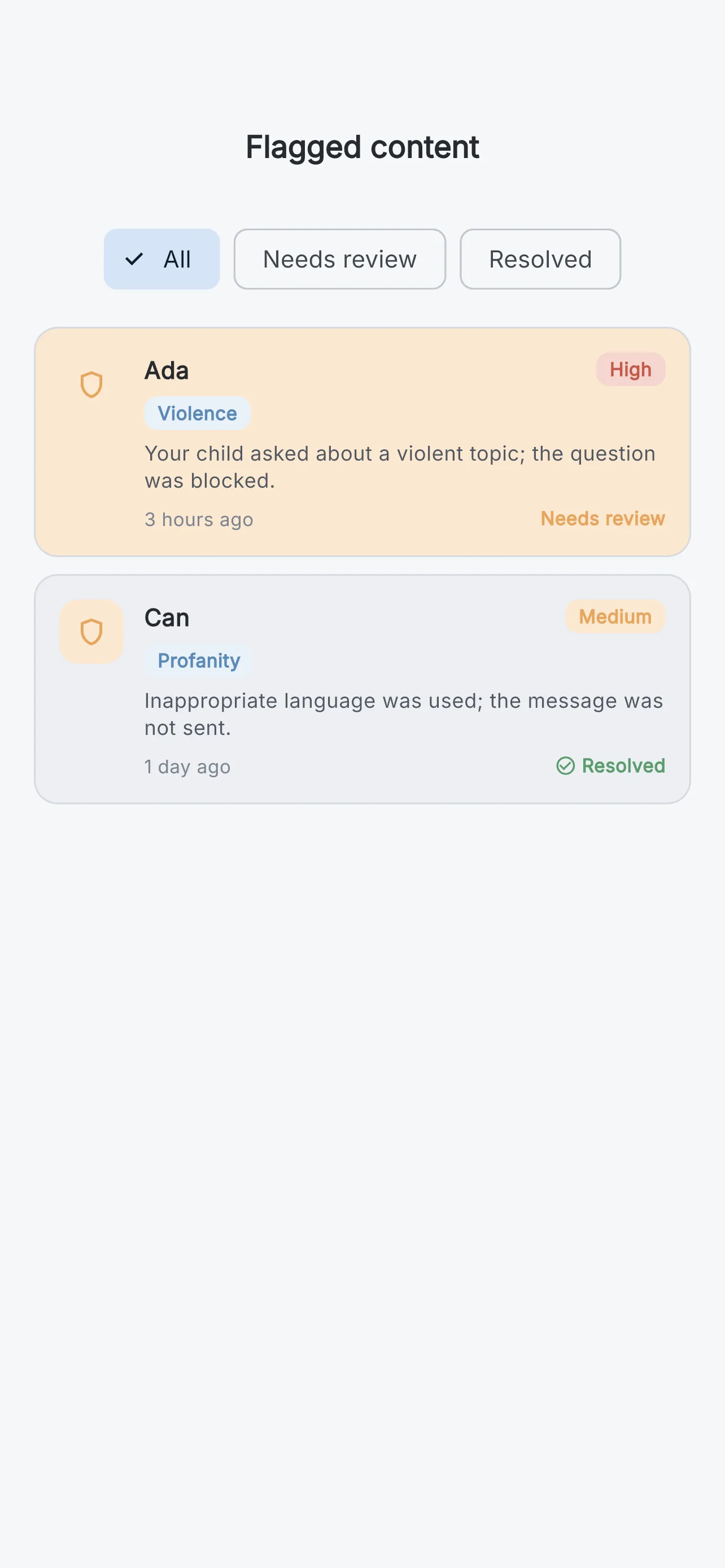
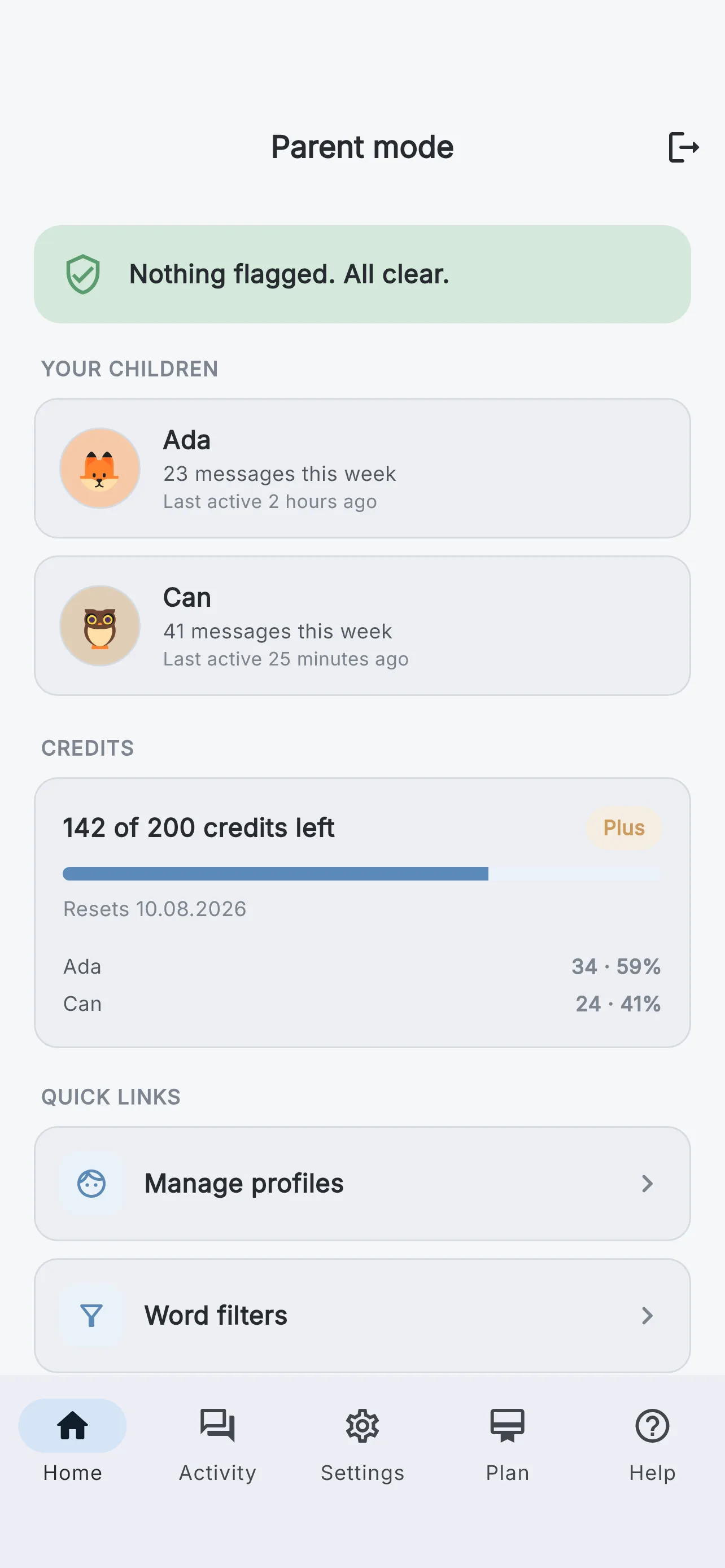
Flagged content list in the parent panel

The controls in your hands

Parent dashboard

Activity overview

Conversation summaries, credit status and recent flags for each child, at a glance.

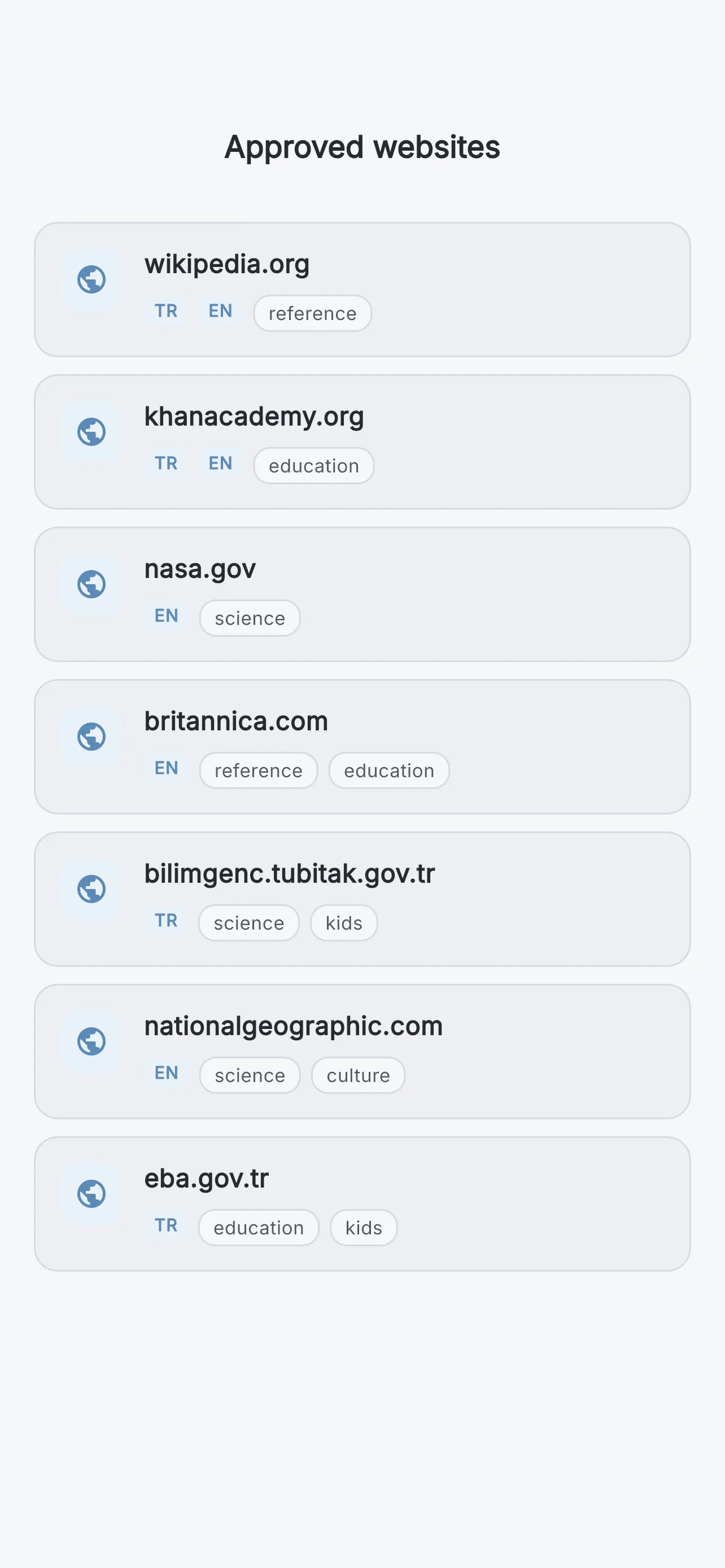
Approved websites list

Approved websites only

Web search works only on sites you have explicitly approved. No approval, no search.

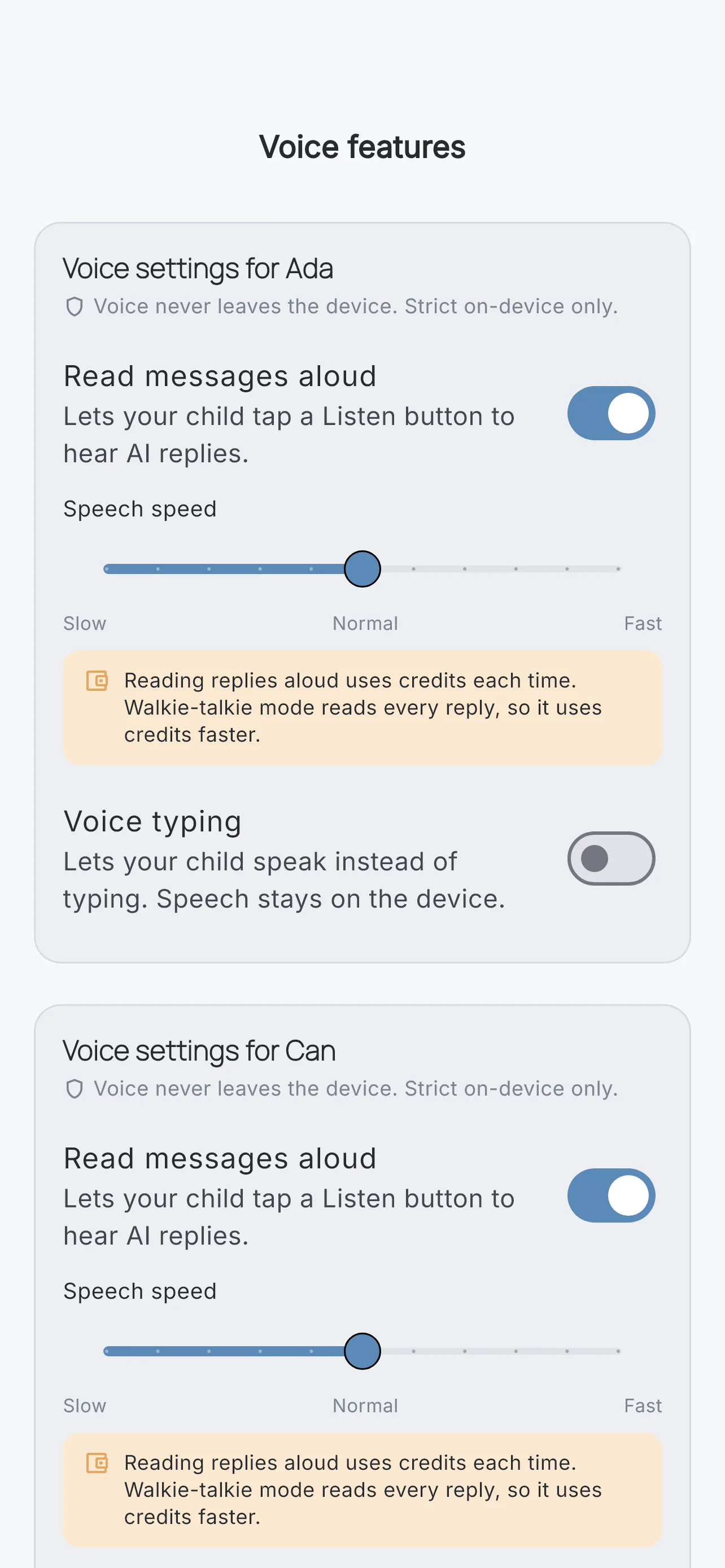
Voice settings

Voice, per child

Enable or disable voice input and read-aloud separately for each child. For ages 7–9, voice input starts off.

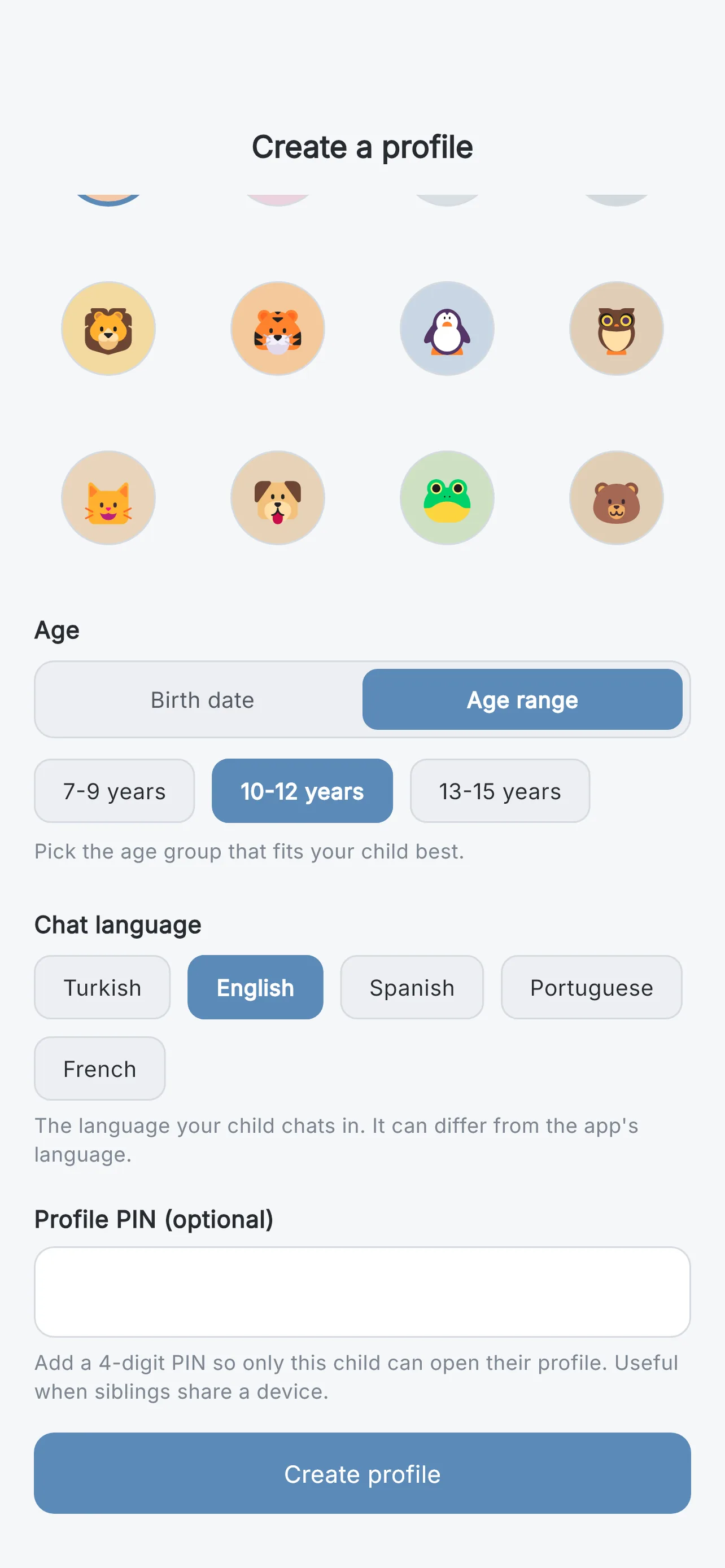
Child profile creation with age band

Limits and filters

Daily message limits per child, plus your own custom blocked-word list on top of the built-in safety layers.

Setup: one account, both devices, 3 steps

WisoraAI deliberately creates no child accounts and collects no child login data — that is a legal-compliance choice (COPPA/GDPR-style rules), not a shortcut. Both devices use your Google or Apple sign-in.

  1. 1

    Install on both devices

    Download WisoraAI on your phone and your child's device. Sign in on both with your own Google or Apple account.

  2. 2

    Set your PIN, create profiles

    Choose a parent PIN, then create a profile for each child with their age band and language. The panel stays locked behind the PIN.

  3. 3

    Hand over the device

    On your child's device, select their profile. They chat; the parent panel and settings stay out of reach without your PIN.

Your data, your call

Export your data or delete the account entirely, any time, from inside the app. Sensitive content is stored encrypted. Forgot your PIN? Recover it by e-mail verification.

Let them ask. Stay in control.

Download on the App Store Coming soon onGoogle Play